Choose another region to see content specific to your location.
Region


AI-OCR delivers the most where high document volumes, manual data entry, and ERP integration converge. Organizations processing thousands of documents a month see the biggest returns.

Capture vendor invoices in any layout, validate line items against purchase orders, and post in one click.

Scan delivery notes, extract signatures, quantities, and references, and validate against ERP records automatically.
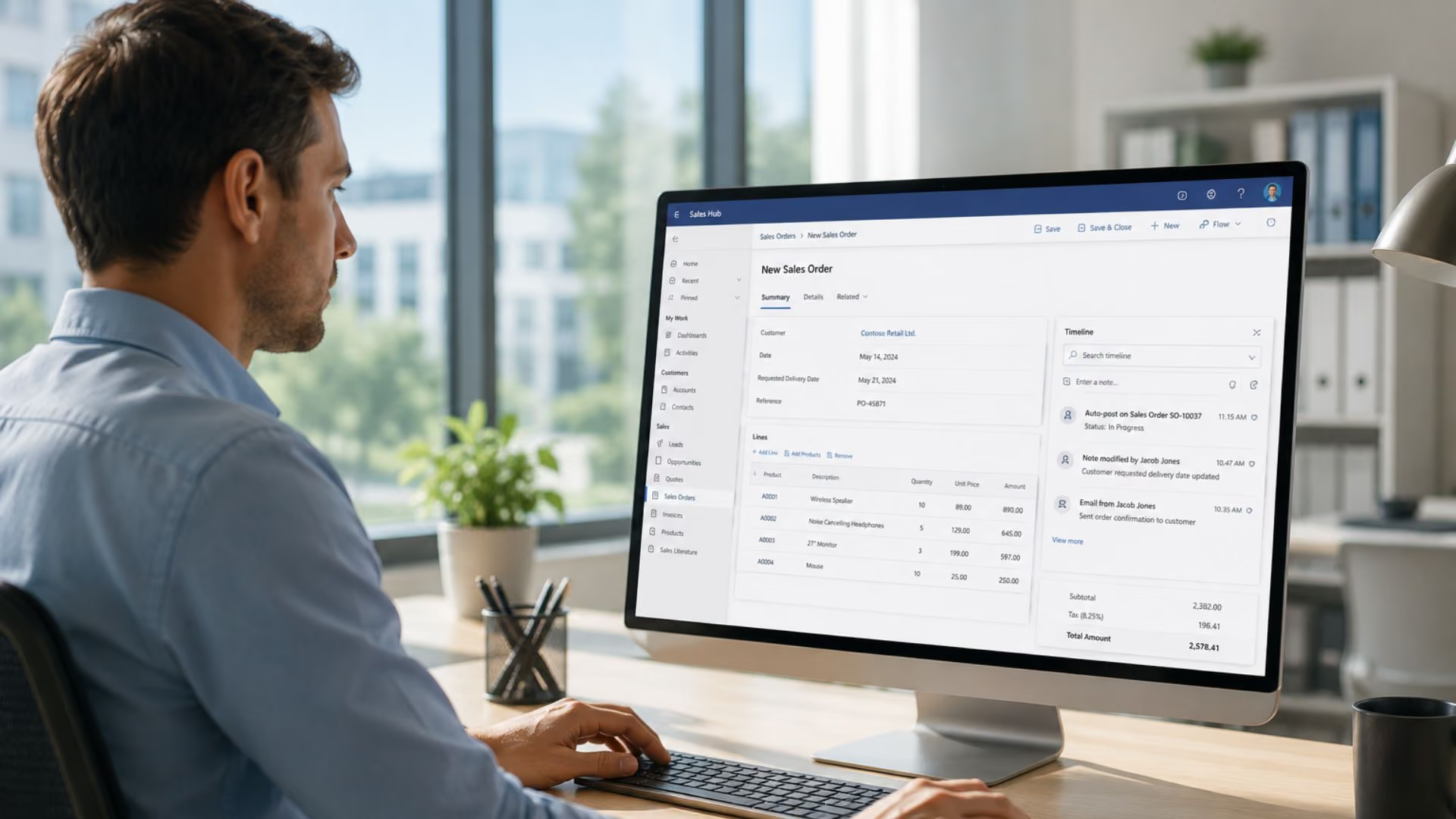
Convert incoming purchase orders and sales documents into ERP records automatically, shortening receipt to confirmation.

Automate routing, review, and approval of internal documents, linking approvals to ERP records and replacing email chains.

Photo, scan, or email upload of document.

Azure AI reads fields, amounts, dates, line items.

Cross-checks against ERP purchase orders and records.

Exceptions flagged for human confirmation.

1-click approval for matched documents.
Data posted directly to ERP, no manual entry.
3,000 invoices per month
5 min per document manually
Labor force reduced by 1 full headcount through automation
Relieved pressure on inventoryupdates, shortened paymentprocessing cycles, and automated 3-tier amount validation.
30 teachers
Frequent document lookup queries
Time saved per month through automated document search
Search time reduced from 3 minutes to 10 seconds. Equivalent to -0.8 headcount saved.

AI-OCR Document Recognition uses Azure AI Document Intelligence, Microsoft's AI-powered document processing service, combined with Power Automate workflow automation to automatically capture data from physical and digital documents. The system extracts fields such as vendor names, invoice numbers, line items, amounts, and dates, validates them against existing ERP records, and posts confirmed data directly to your system. Documents can be submitted by photo, scan, email, or portal upload.
The system can process invoices, delivery notes, purchase orders, sales orders, expense receipts, and other structured business documents. It supports multiple document formats, handwriting recognition, and different languages, making it suitable for organizations that receive documents from diverse suppliers in varied formats.
When the system cannot confidently match a document to an existing ERP record, for example, if line quantities do not match or an amount discrepancy is detected, it flags the exception and routes it to a designated team member for review. The human reviewer sees the original document alongside the extracted data and ERP record, making the review process fast and straightforward. Confirmed documents are then posted with a single click.
No. Tectura's AI-OCR solution is designed to integrate with your existing ERP, including Dynamics 365 Business Central and Dynamics 365 Finance & Operations. It can also work with third-party ERP systems, provided that the ERP vendor or your internal IT team can provide the necessary API access for integration. The automation layer sits between your document input channels and your ERP, handling document capture, data extraction, validation, and posting. For Microsoft Dynamics 365 environments, this can be done without major changes to the underlying ERP configuration. For third-party ERP systems, integration feasibility depends on the available API and system access.
Based on Tectura's actual client results, organizations processing high document volumes, particularly 1,000+ invoices or delivery notes per month, can achieve payback within weeks of go-live. The savings come from reduced headcount requirements for data entry, faster processing cycles, and fewer errors requiring correction. Tectura will conduct a business case assessment as part of the scoping process to help you quantify the expected return for your specific operation.